
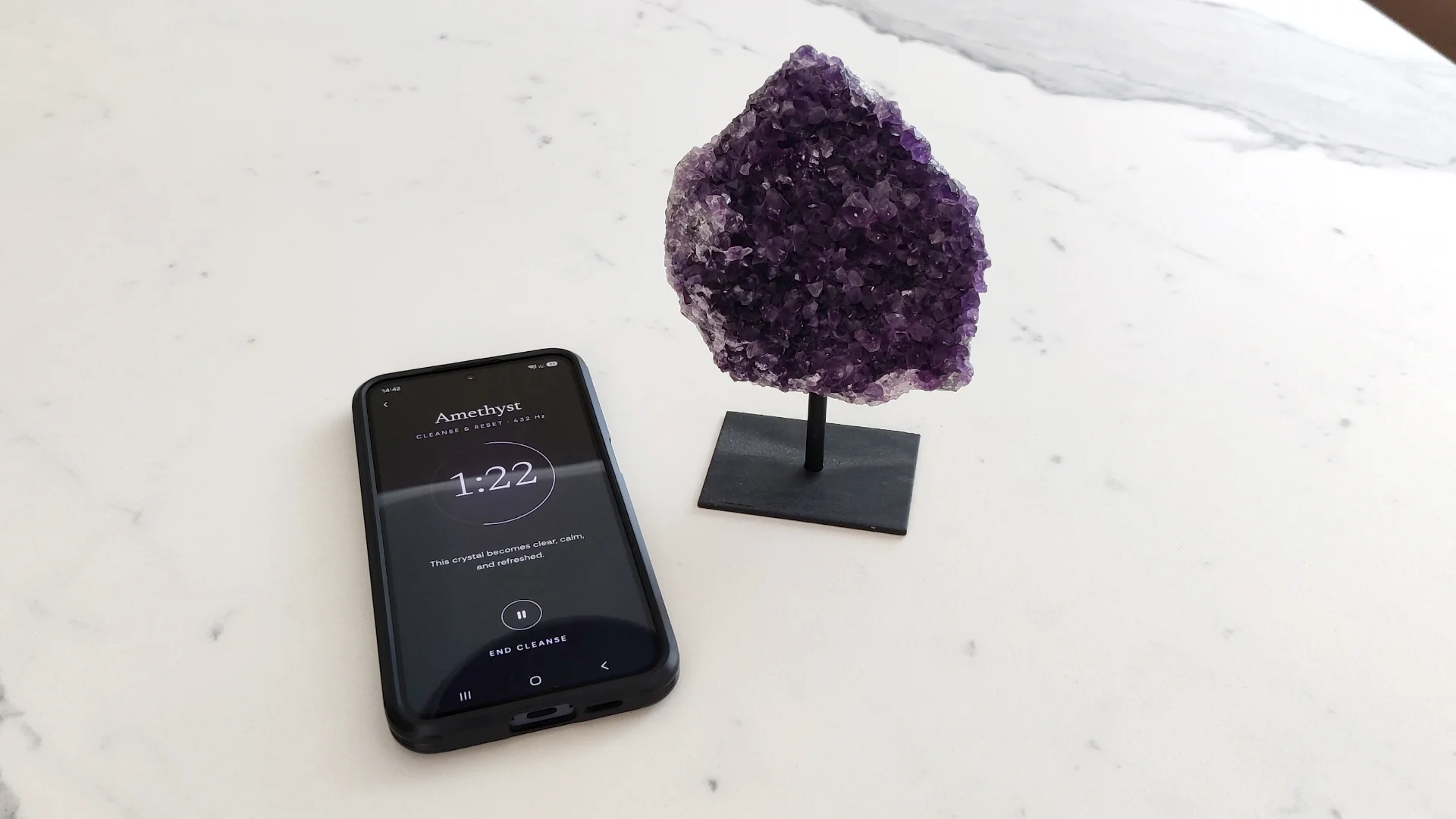

The Crystal Cleanse app was designed to be as simple and intuitive to use as possible. I made it with the guidance of Darija Huzimec, a crystal expert who advises both Saluxe (our parent brand) and Crystal Cleanse.
I’ve known about sound-based crystal cleansing for years, and it’s one of my favorite ways to cleanse our crystals at home. It’s very relaxing, it can be done basically for free, and it works on any crystal, regardless of size, shape or any other variable that rules other methods out.
However, sound cleansing with a singing bowl or a tuning fork takes time, and the household is not always quiet enough.
That’s the gap Crystal Cleanse was built to close. It gives you the sound without the bowl, the practice, or a house that agrees to be quiet – you pick your crystal, select the intention of the session, and let it run for three minutes with the phone sitting next to the stone.
There is no account, every session is free, and in a browser there is nothing to install. If you have just found the app and would rather know what you are walking into before you press anything, this is all of it.
What You Need
Take a crystal. Any of the ones listed in the app, any size, in whatever condition it is in. It does not need to be cleaned first, and it does not even necessarily need to be identified correctly. Choosing the correct crystal does bring some extra satisfaction, plus you get to know more about the crystal, but the embedded sounds and frequencies work on all crystals.
Open the app on something with a speaker. The app runs in a browser, so a phone, a tablet or a laptop all work. On an Android phone or tablet you can also install the Crystal Cleanse app from Google Play. Either way you need an active internet connection, because the sound loads from our hosting provider.
A phone speaker set down beside the crystal is enough.
A Session, Step by Step
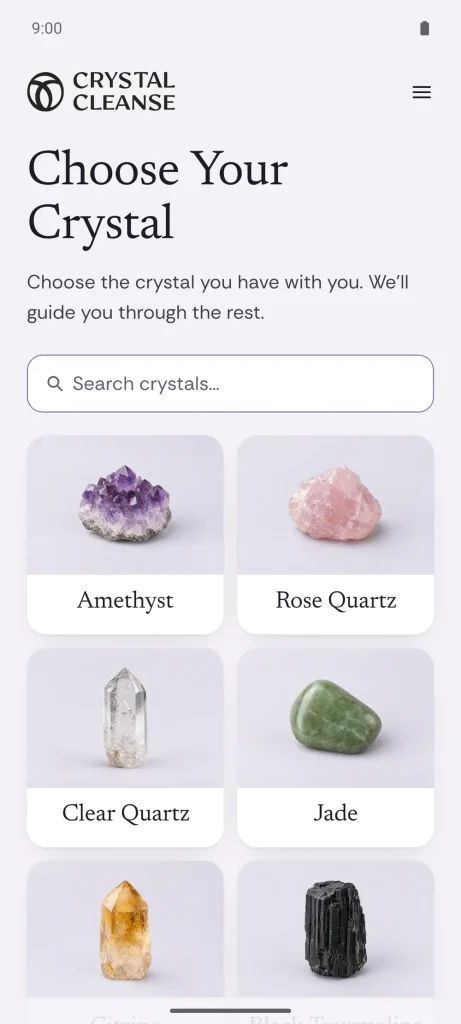
1. Choose your crystal. The first screen shows you every crystal we currently have included. These are the most commonly owned ones, but if you want another one added, just let us know.
2. Select the cleansing intention. On the next screen you can either cleanse and reset your crystal, or set an intention.
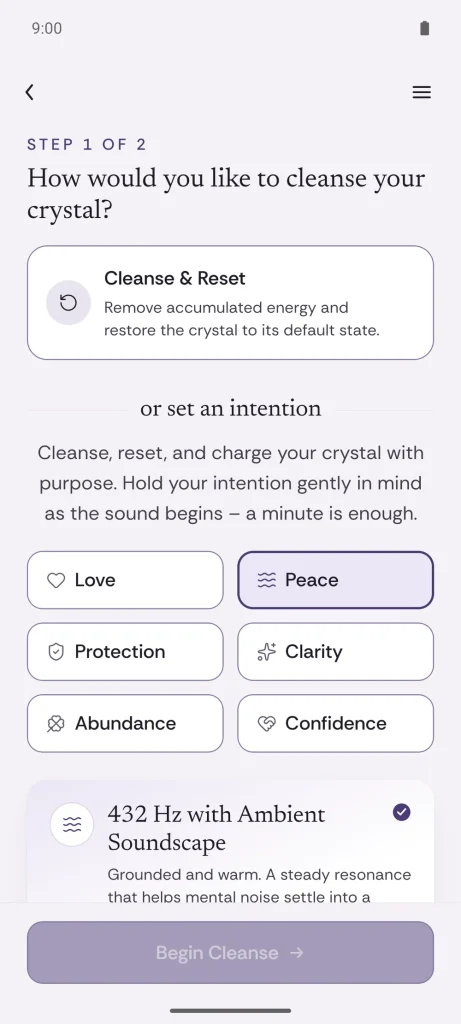
Cleansing removes the accumulated energy and resets the crystal to its default state. Alternatively, you can cleanse, reset and charge your crystal with one of the six intentions: Love, Peace, Protection, Clarity, Abundance, Confidence.
3. Choose a length. Next, choose the duration of your cleansing session – there are 3, 5 and 10 minute sessions available. The app tells you what each one is for as you tap it. Three is a maintenance cleanse, for crystals you keep close every day. Five is the regular one, for after strong emotions, difficult rooms, or time around a lot of people. Ten is a full renewal, for after illness or conflict, or for a crystal that has been in a drawer for a long time. Choose by what the crystal has been through rather than by how long you think you ought to sit there.
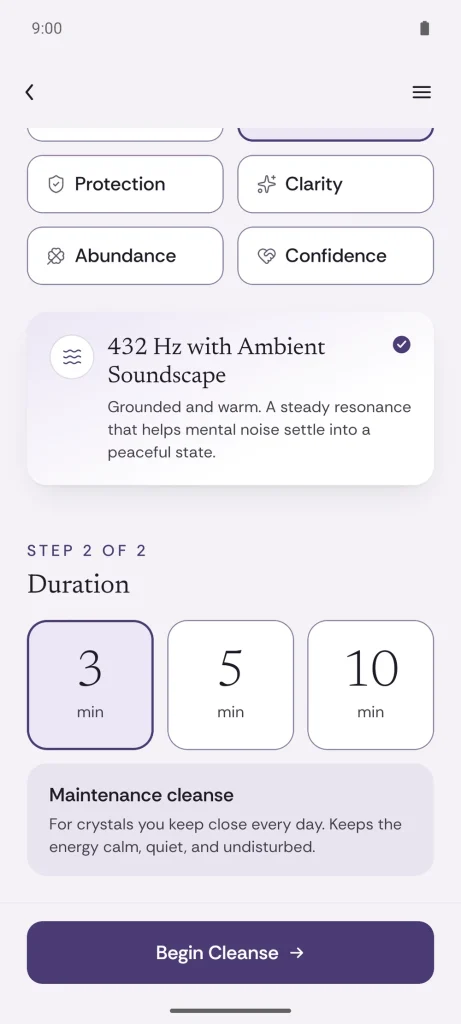
I know I keep saying length doesn’t matter much, and I stand by it – but we’re all a little wired to trust the thing that took longer. If ten minutes makes the session feel finished in a way three doesn’t, take ten. The extra minutes are for you, and that’s reason enough.
4. Press Begin Cleanse. If the audio is still loading, you will see a brief Preparing audio… line first. Then put the device down somewhere near the crystal – the same table, the same shelf, close enough that you can see both.
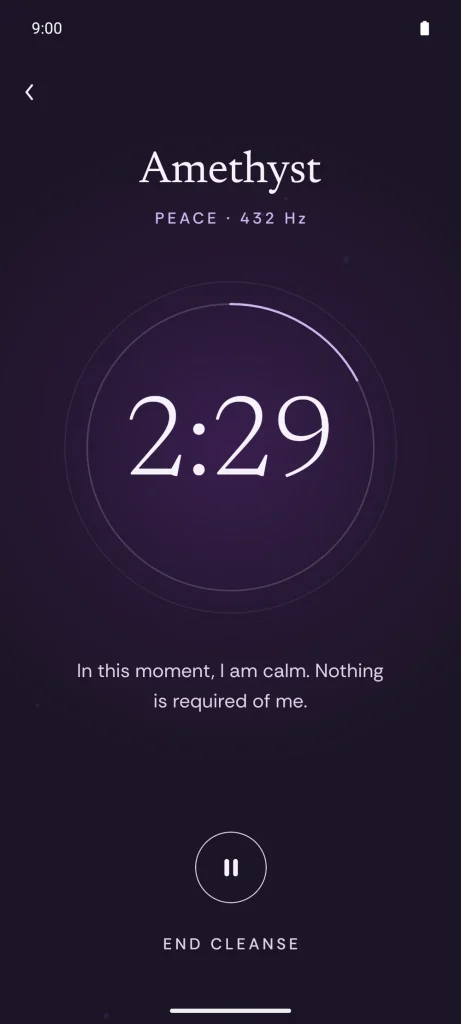
5. Sit with it. The session screen dims to almost nothing: the crystal’s name, the intention and its frequency, a countdown, and one line of text underneath. That line is an affirmation for the intention you chose – it refreshes with a new one every 20 seconds. You can pause whenever you want, and you can end the session early if something comes up. Don’t worry if you do: every second counts, and an unfinished session is better than no session. If you end early, the app offers to pick the session up from where you left it rather than starting over. For the length of the session the app asks your browser to keep the screen awake, so it should not dim halfway through; not every browser grants that, and if yours doesn’t, your normal screen timeout applies. The Android app keeps the screen awake for you (you can turn that off in its menu), and you can pause or continue with your screen locked.
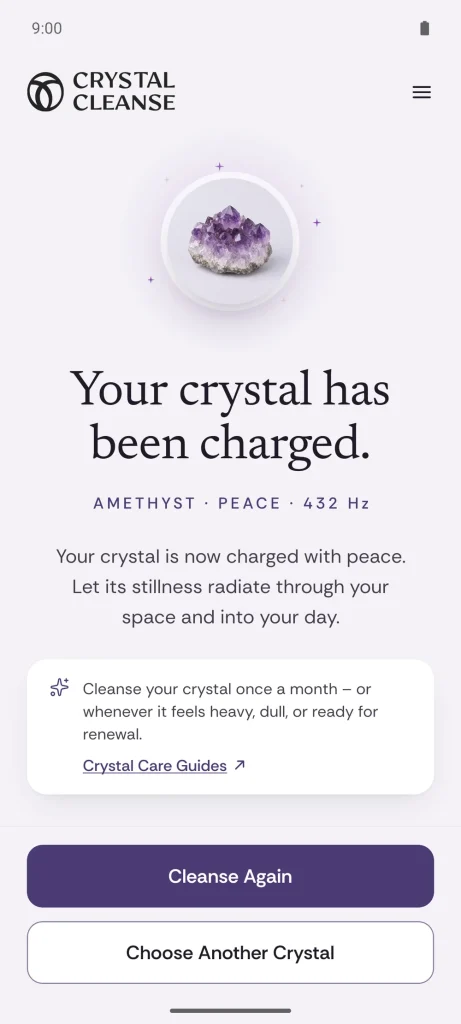
6. Finish. When the countdown reaches zero, the app tells you your crystal has been cleansed, or charged, depending on which route you took.
Cleanse & Reset, or an Intention?
Cleanse & Reset is the plain option: it clears without adding anything. Use it for a stone that is new to you, one whose history you don’t know, or one that has been through something you would rather it let go of.
An intention does the same clearing and then charges the crystal with a purpose. The app’s own instruction is the whole technique: hold the intention gently in mind as the sound begins.
Each choice has its own frequency, laid over an ambient soundscape.
| Choice | Frequency | How the app describes the sound |
|---|---|---|
| Love | 528 Hz | Warm and heart-opening |
| Peace | 432 Hz | Grounded and warm |
| Protection | 174 Hz | Deep and anchoring |
| Clarity | 741 Hz | Clear and uplifting |
| Abundance | 639 Hz | Open and expansive |
| Confidence | 396 Hz | Low and steady |
| Cleanse & Reset | 432 Hz | Balanced and neutral |
Which frequency goes with which intention is based on traditional practices and beliefs, not a hard rule. We won’t claim that this is all scientifically proven, because it’s not, no matter what your local guru says. Pick the intention you want, relax and enjoy the sound that comes with it. This is where the true magic comes from.
Which Crystals This Works For
It works with all crystals. We currently have 24 of them listed, and we will add more. The 24 are the most common ones, based on our own experience, and we also based the decision on Google’s search volume data, so we know what people are looking for.
So, you might ask, why even list the 24 crystals if the sounds work on all of them? That’s a fair question. The answer is that the list is there for you, not for the sound. Picking your crystal gives you its name, a short description of what it’s traditionally associated with, and a link to read more about it – and then that name stays on the screen for the whole session, right next to the countdown. A session that knows which stone is sitting beside you feels different from an anonymous timer running down. And if yours isn’t in the list yet, tell us and it may well be next.
After the Session
Simply put the crystal back in its place, if it’s small enough and you moved it. If not, just close the browser window or the app and you’re done. The crystal is freshly cleansed – and charged, too, if you set an intention – and you should feel a little bit refreshed yourself.
One thing worth saying plainly: Crystal Cleanse is for personal ritual and relaxation, not medical care or advice.
Begin
Pick up whichever crystal is nearest, decide what the next three minutes are for, and start a free session – in your browser or in the Android app.
* AI was used to assist in the preparation of this article.